

For most of my career, I thought the CRM data problem was a behavior problem.
Reps were not updating their records. So we coached them. We built accountability systems. We ran pipeline reviews. We explained, clearly and repeatedly, why accurate data mattered for the forecast.
None of it moved the needle.
Then voice features started showing up in the big CRM platforms. Salesforce. HubSpot. Others. I thought: finally, this is it. The fix we had been waiting for. Just talk at the screen instead of typing.
I was wrong.
What Actually Happens in the Parking Lot
Here is what I watched happen when reps tried to use those features in the field.
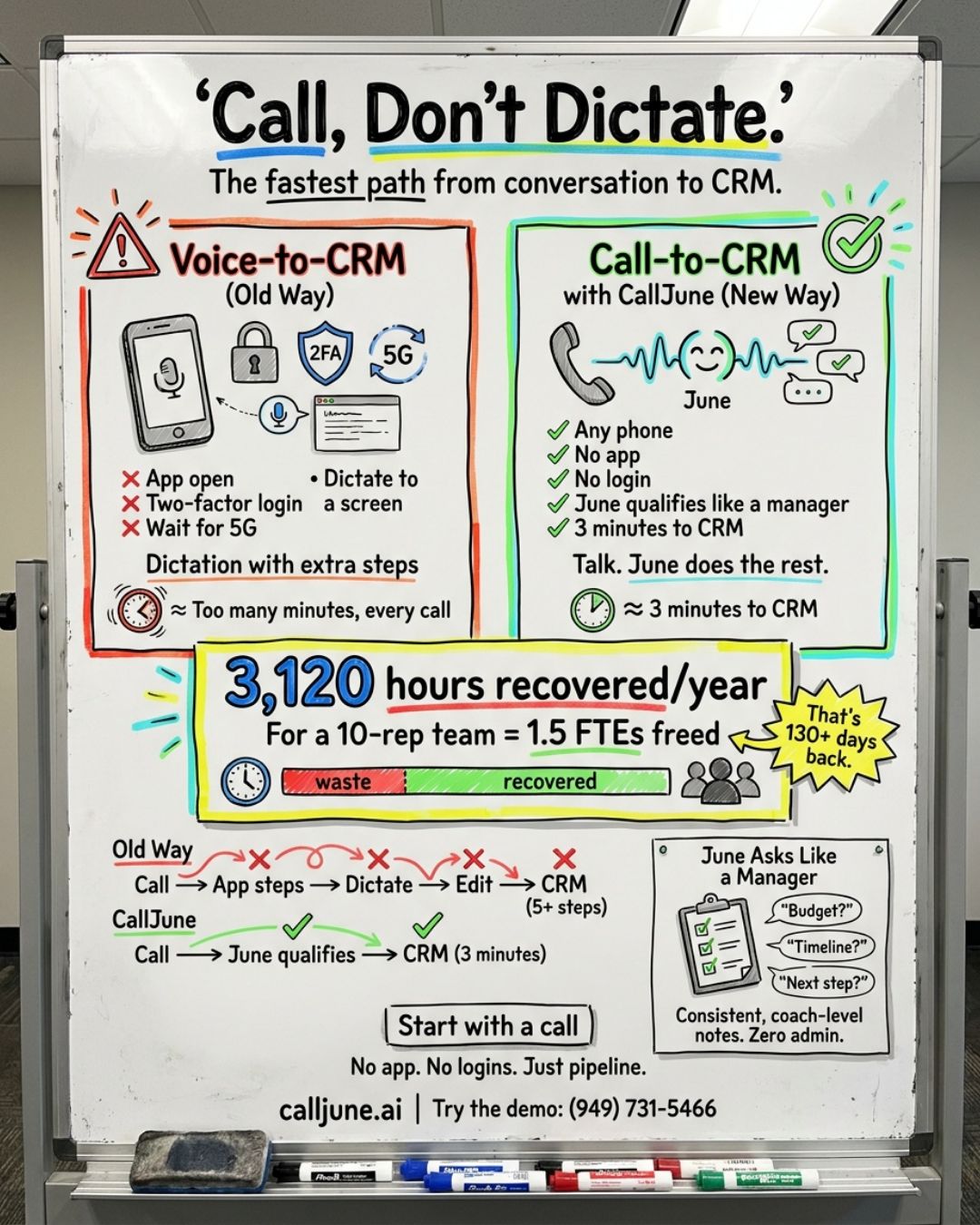
They finish a meeting. Walk to the car. Pull out the phone. Open the app. Two-factor authentication kicks in. They wait. The 5G signal drops. They wait again.
Now they are dictating into a CRM screen, using the same muscle memory they use to send a voice memo, but with more friction and worse results.
That is not a field solution. That is dictation with extra steps.
And dictation has the same core problem as typing. The rep still has to know what to say. They still have to remember the right fields, the right context, the right level of detail. They are still alone in that parking lot, just with a microphone instead of a keyboard.
The tool changed. The workflow did not.
The Problem Was Never the Input Method
After watching this play out across dozens of teams, I came to a different conclusion.
The problem was not how reps entered data. It was the absence of a guide.
Think about what happens when a manager rides along. After the meeting, they debrief the rep. They ask questions. "What was the main concern?" "Who else is involved in the decision?" "What happens if this problem does not get solved?" "What is the next step and who owns it?"
Those questions do two things. They pull the right information out of the rep's memory while it is still fresh. And they force the rep to think through the deal in a structured way.
That debrief is where the CRM should be capturing data. Not the rep's free-form dictation of whatever they happen to remember. The structured output of a real conversation.
That is the gap no voice feature closes. And that is why we built a phone line.
The Difference Between Voice-to-CRM and Call-to-CRM
When a rep calls June, they are not dictating. They are having a conversation.
June asks the qualifying questions their manager would ask on a ride-along. The implication questions that build urgency. The next-step questions that move pipeline. She guides the debrief. The rep answers naturally, the same way they would talk through a deal on the drive home.
No app to open. No login to navigate. No dictation mode. Any phone. Any signal. Three minutes, tops.
The rep talks. June writes the structured output to the CRM.
The difference sounds subtle. It is not. When you dictate into a CRM app, you only capture what you decide to say. When June asks the questions, she captures what the deal actually needs, including the qualifiers the rep would have glossed over under pressure.
One approach fills fields. The other vets deals.
What That Looks Like in Practice
Better debriefs change the number, not just the workload. When every rep answers the same qualifying questions after every meeting, your pipeline reflects what is actually happening in the field. You can forecast on it. You can coach on it. You can see the deal that is about to stall before it does.
The time savings are real too. A few minutes on a phone call replaces fifteen to twenty minutes at a laptop, and that adds up across a team. But the time is the smaller prize. The bigger one is a forecast built on data that is actually there.
Only 23% of CRM data today is accurate and complete. That is Salesforce's own number. The other 77% is guesswork dressed up as a forecast.
The teams using voice features in their native CRM apps are not closing that gap. They are just making the guesswork a little easier to enter.
The Question Worth Asking
If your CRM already has voice features, ask yourself one honest question: are your reps actually using them?
Not in a training session. In the field. After their third meeting of the day. In the parking lot of a client they have been chasing for six months.
If the honest answer is no, the problem is not discipline. It is design.
The data does not need a microphone. It needs a conversation.
Shawn Johnson is the founder of CallJune. He spent 25 years in B2B sales as a rep and manager before building the tool he wished existed in every parking lot. Try the demo line: (949) 731-5466